← All work
App · Designed and built with Claude

PausePay

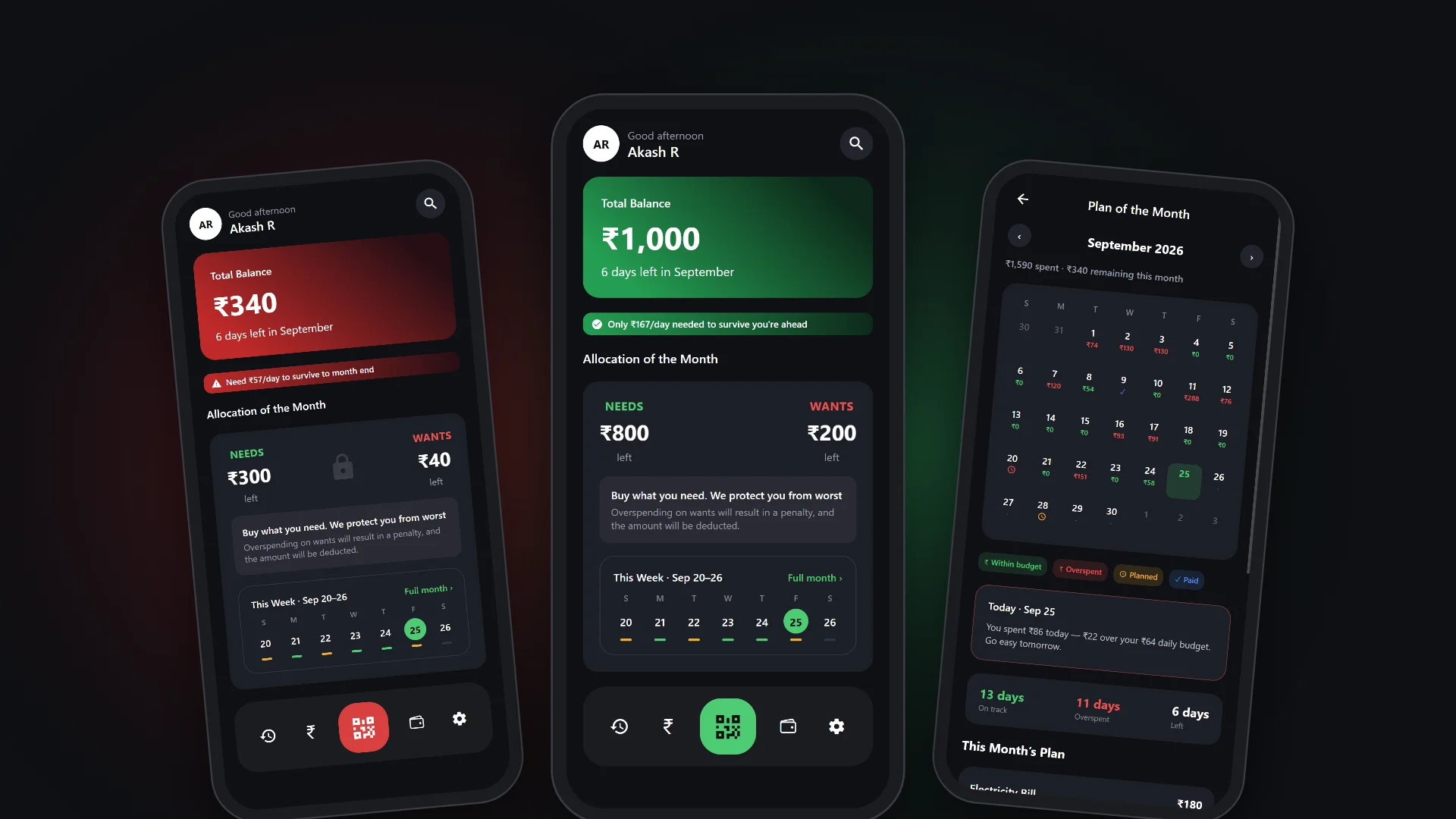
A UPI payments app that pays for your needs first and pauses your wants when their budget runs out.
CategoryMobile app
PlatformAndroid · iOS
Built withClaude Code
StackReact Native · Expo
Three phones showing Pause Pay: the home screen in red with a low balance, the same screen in green with a healthy balance, and the month's plan calendar with green and red days
The idea

Needs first

Your money is split into Needs and Wants. When Wants runs out, those payments pause, so rent, food and bills stay covered.

Most payment apps make spending effortless. Pause Pay adds one moment of friction in the right place: a lock on the home screen that holds back impulse spending while every essential payment still goes through.

Why red and green

Colour is the balance

The whole app turns green when your money will last the month and red when it won't, so you know where you stand before you read a single number.

The rule is simple: what's left, divided by the days left, has to cover your planned daily spend. If it does, you're in the healthy state. If it doesn't, the app switches to low balance and warns you what you need per day, with the Wants lock one tap away.
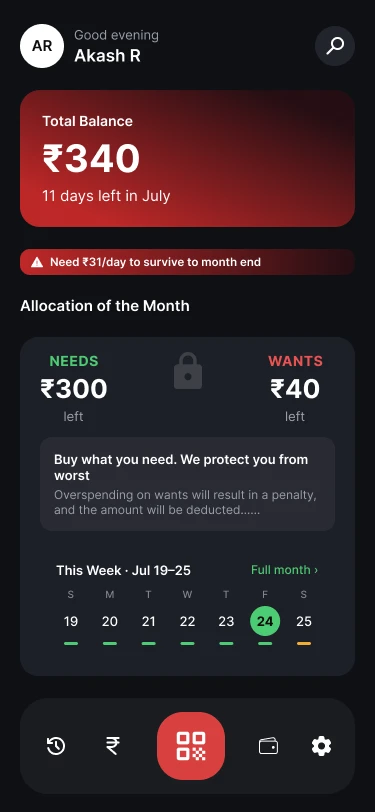
Low balance
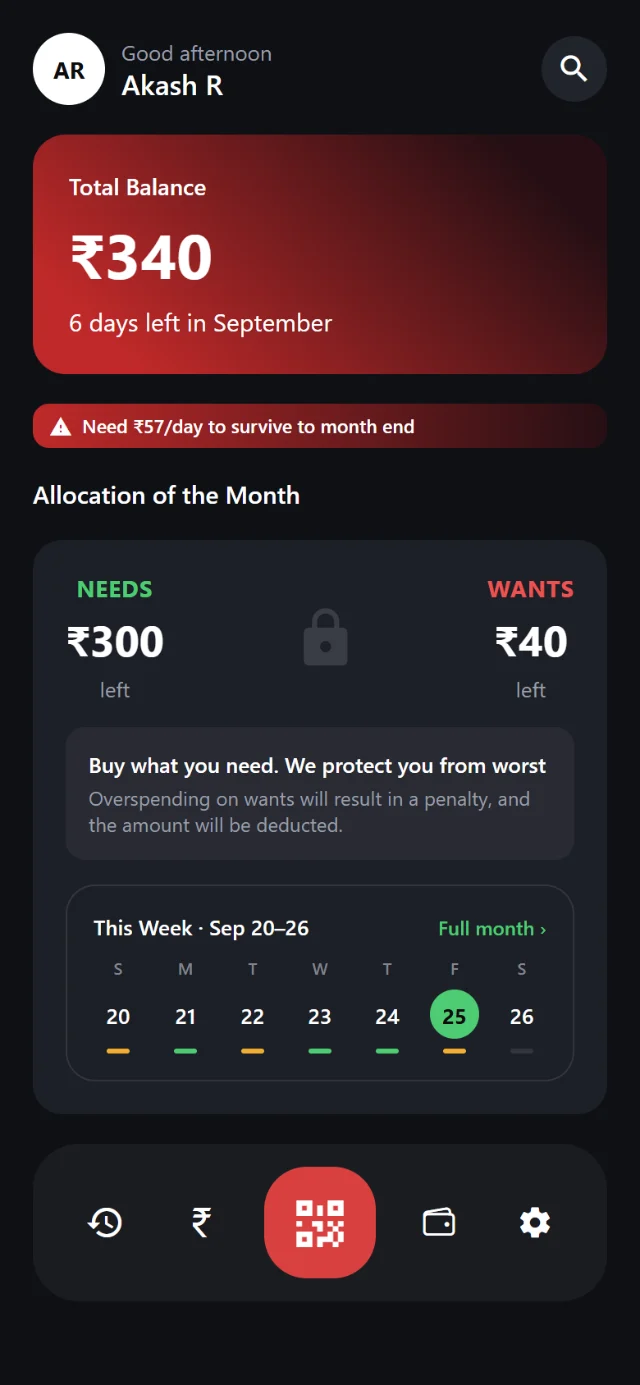
Pause Pay home screen in the red low-balance state: 340 rupees left, with a warning of how much is needed per day to survive to month end
What's left won't cover your planned spend per day. The balance card, the warning and the pay button turn red.
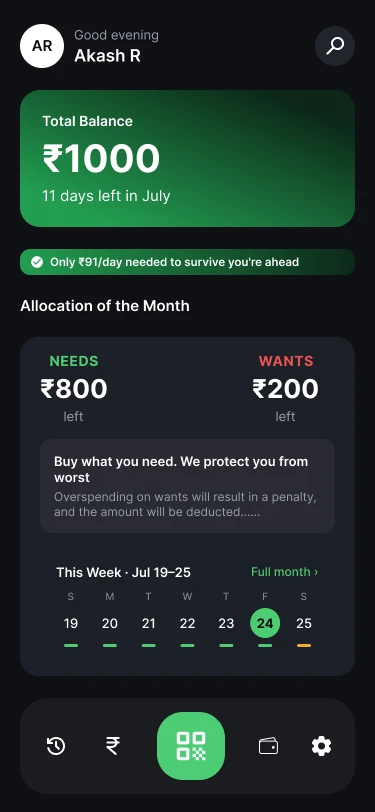
Healthy balance
The same home screen in the green healthy state: 1,000 rupees left, with a note that you're ahead of what you need per day
What's left covers more than you plan to spend each day, so you're ahead. The same parts turn green.

Both phones run the real app, not pictures: they switch on as you scroll to them. Use them like a phone: open the month's plan, move money between Needs and Wants, lock your Wants or make a payment. QR scanning, the camera and fingerprint unlock need the phone app, and the money is sample data.

The switch runs through every screen
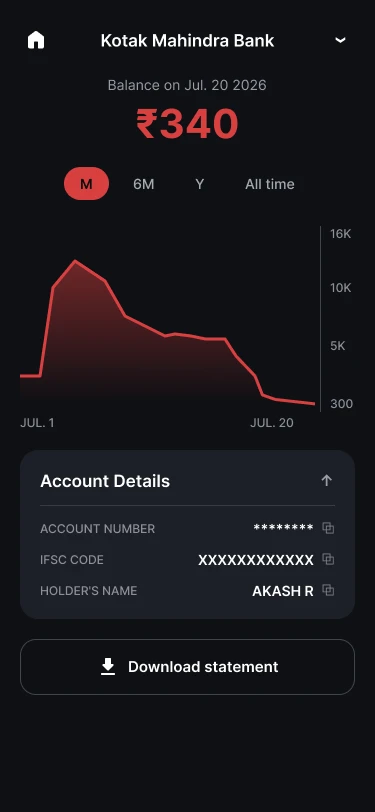
Account screen in red: the balance chart falling to 340 rupees
Account · red
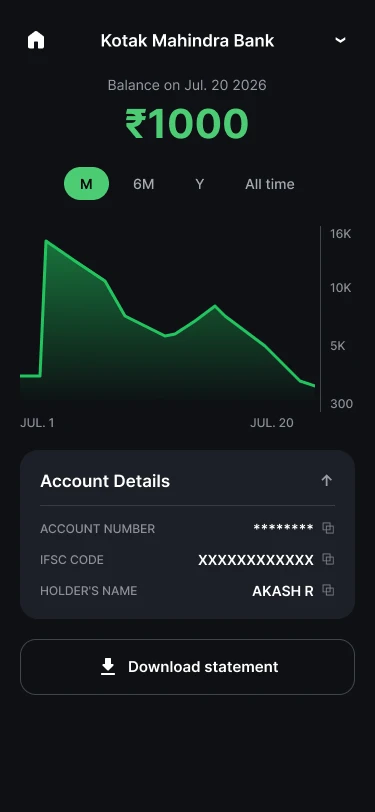
Account screen in green: the balance chart at 1,000 rupees
Account · green
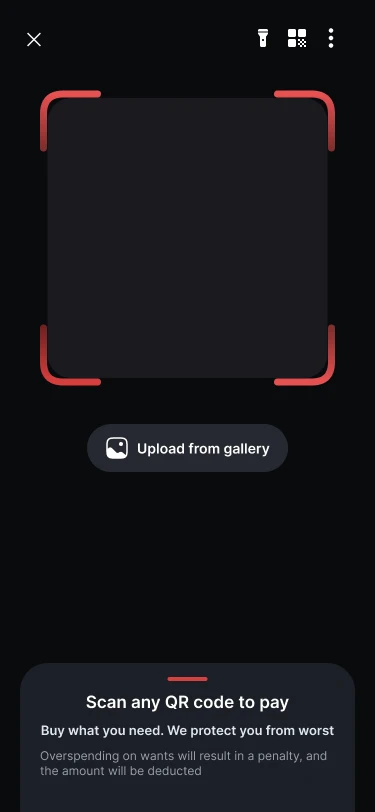
QR scanner with a red scan frame
Scan · red
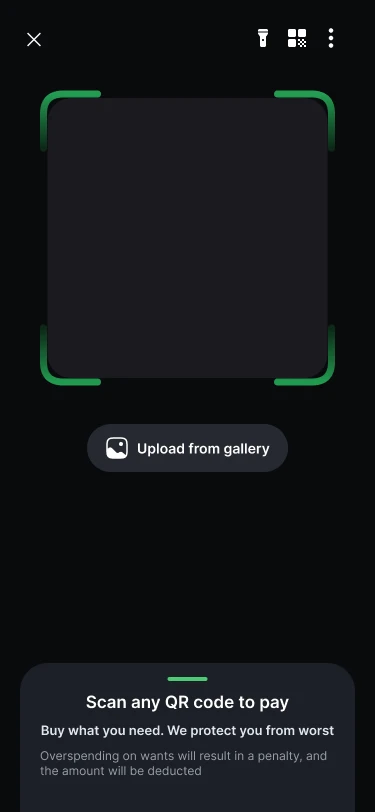
QR scanner with a green scan frame
Scan · green
How it works

Plan, protect, pay

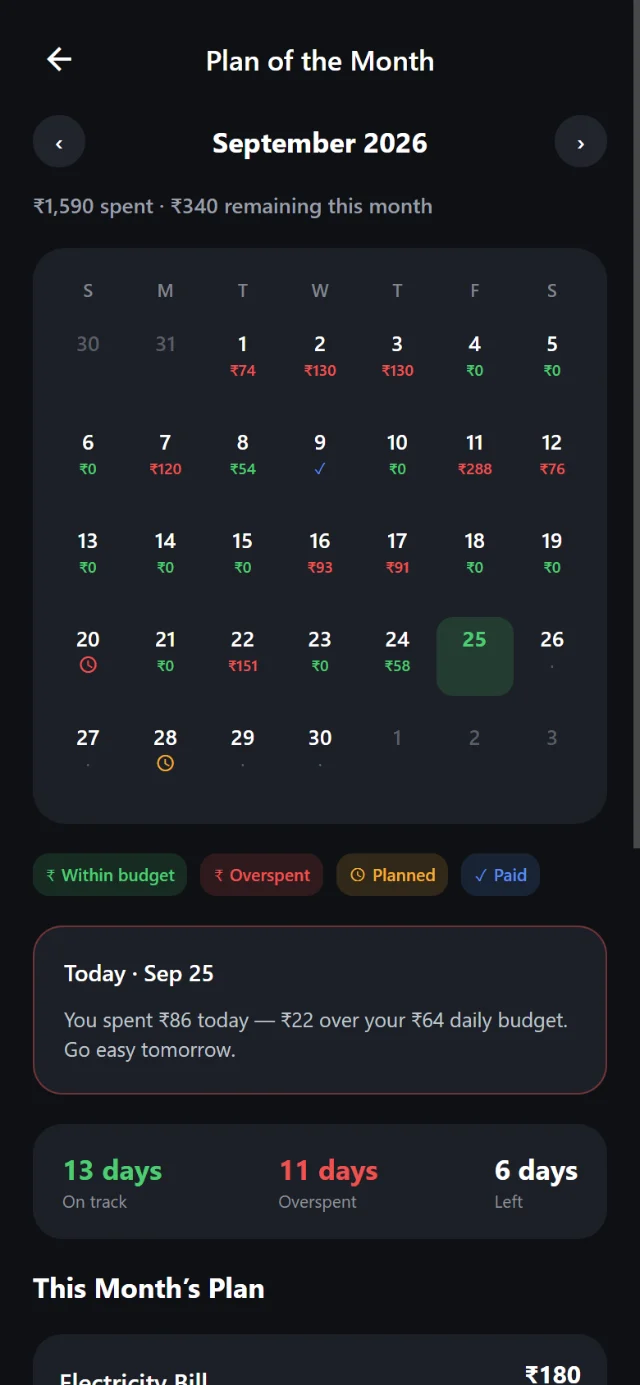
  1. PlanAdd rent, bills and subscriptions to a Payment Plan. Every day shows green when you're on track and red when you overspend.
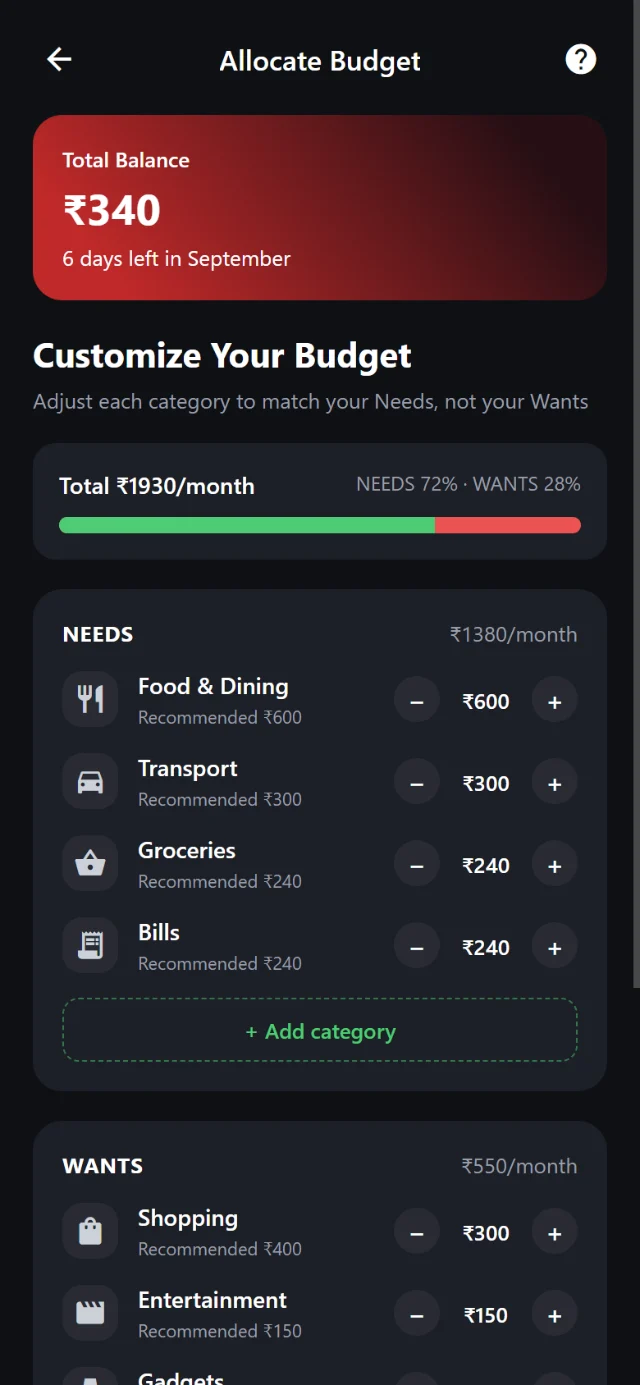
  2. AllocateSplit each month's money into Needs and Wants, category by category, with a recommended amount for each.
  3. ProtectWhen Wants runs out, or you lock it yourself, those payments pause. Needs still go through.
  4. PayScan any QR, pay a number or UPI ID, split expenses and request money from friends, all secured with your UPI PIN.
Screens

Five of 29

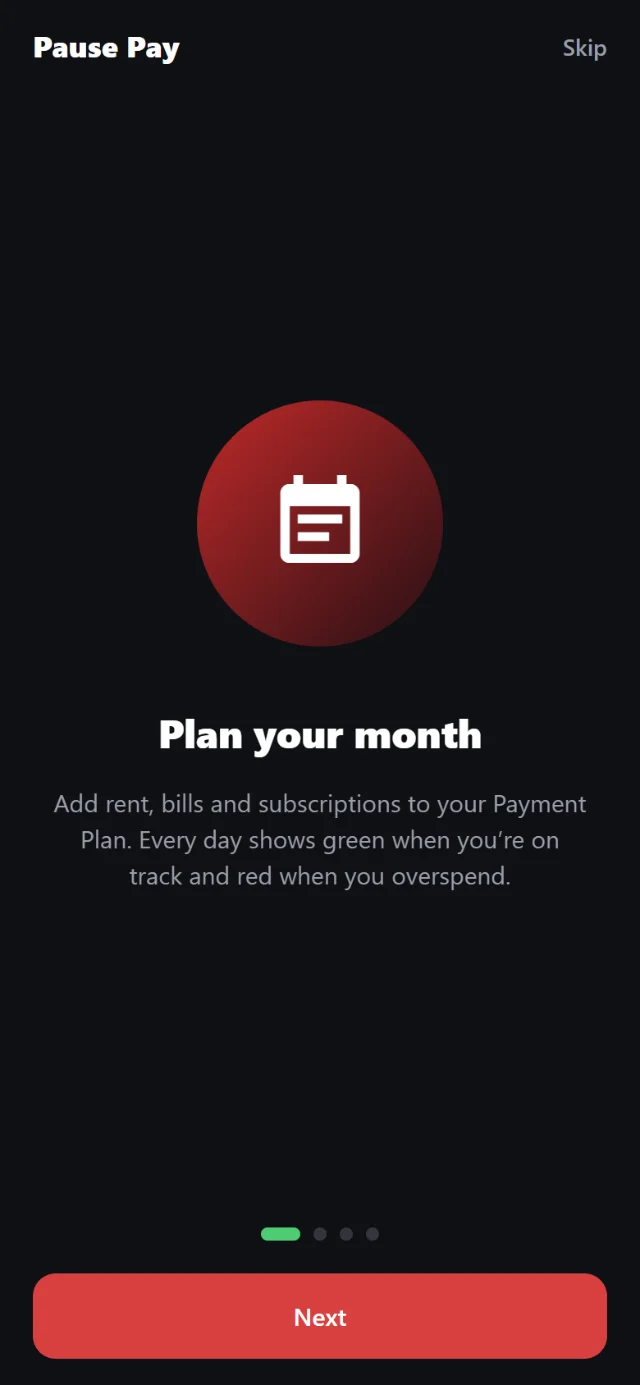
Onboarding screen: Plan your month, with a calendar icon
Onboarding
Home screen: total balance, Needs and Wants left with a lock between them, and this week's spending
Home
Plan of the month: a calendar with each day's spending in green or red
Plan of the month
Allocate budget: Needs and Wants categories with plus and minus controls
Allocate budget
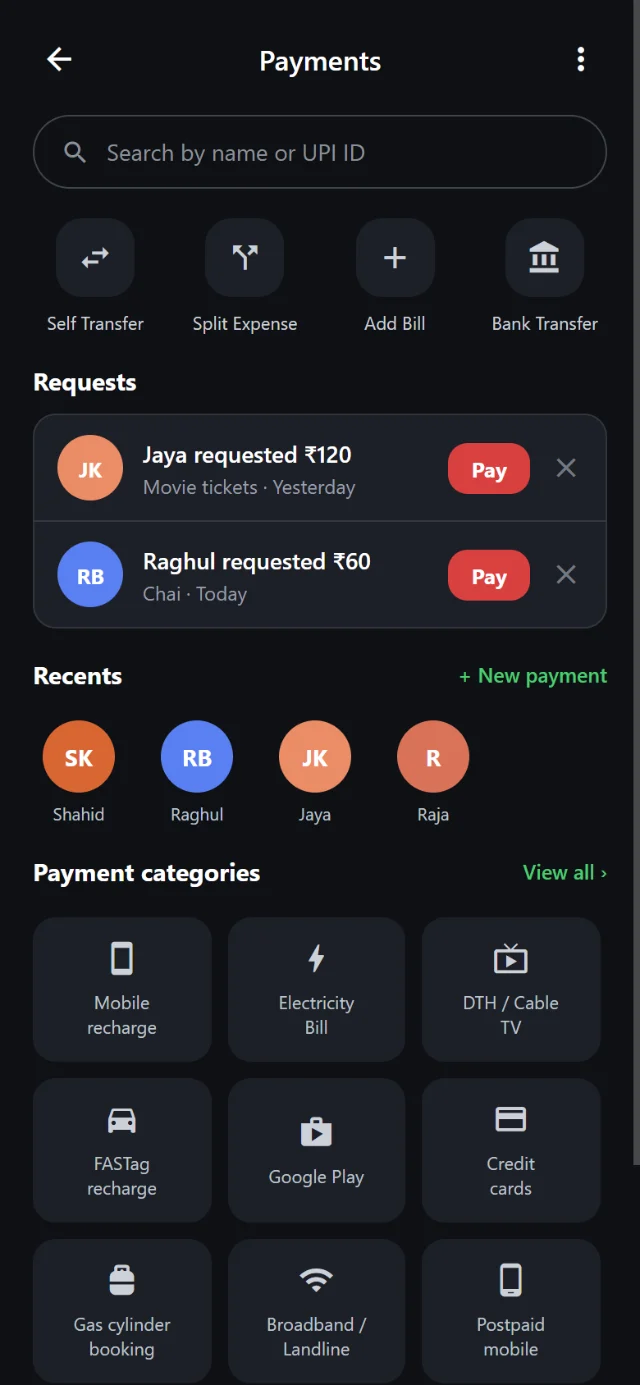
Payments: money requests from friends, recent contacts and bill categories
Payments
Built with Claude

From idea to a working app.

I designed and built Pause Pay with Claude Code: 29 screens in React Native with Expo, from onboarding to the UPI PIN pad.

It runs as an Android and iOS app. It remembers your budget and plans on the device, can lock behind your fingerprint, and follows the phone's light or dark mode.

Keep exploring

More work

Drag the rail sideways, or move over a card to see the project.

Next · Product3 weeks
Move to reveal

Kosh

Thathera craft · Course work · 3 weeks
View project →
Product4 weeks
Move to reveal

Camping Stove

Technical complex product · Course work · 4 weeks
View project →
PackagingGroup project
Move to reveal

Beeda

The Beeda Specialist
View project →
More coming

More
projects

See all work →